
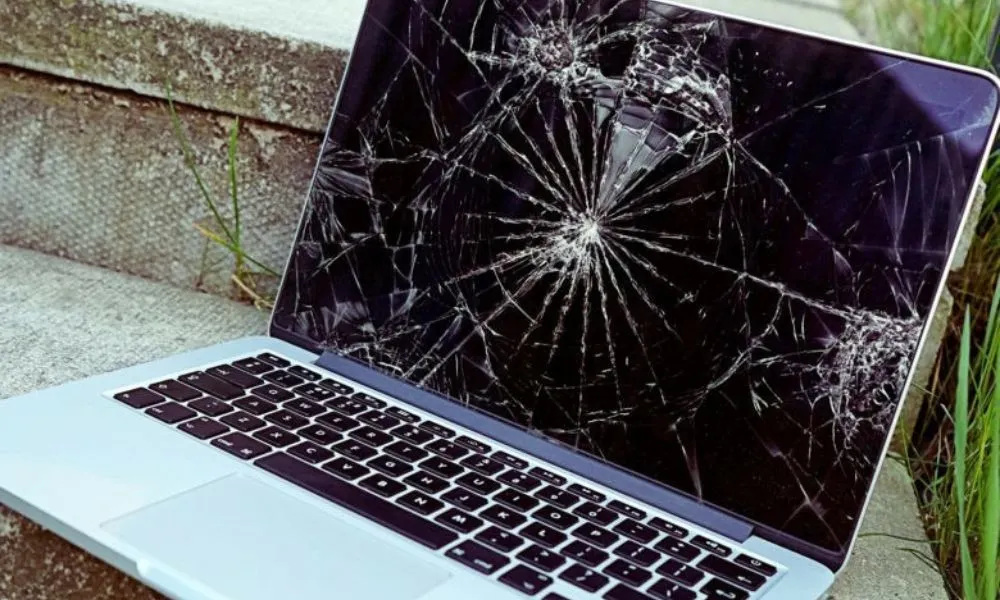
Damaged or faulty MacBook Pro Screen replacement can be painful. Whether it happened because the laptop dropped from your hands and damage your screen, something rubbed on the display in your luggage, or the screen suddenly stopped working, the issue feels very serious—and expensive. Before you hurry to replace the screen, it’s crucial to recognize what you are dealing with.
MacBook Pro screens are not like conventional laptop displays. They are highly technological, delicate, and pricey components. Making the wrong option can lead to excessive expenses or poor-quality repairs. This tutorial will walk you through anything you need to know before obtaining a replacement screen for your MacBook Pro, so you can make an informed and trusting choice.
Understanding MacBook Pro Screen screen replacement
MacBook Pro displays are among the best in the laptop market. Apple uses Retina displays, which offer high resolution, true colors, brightness, and clarity. Newer models additionally incorporate features like True Tone, wide color (P3), and high brightness displays.
Because of this superior technology, MacBook Pro screens are:
1. Expensive to replace
2 Delicate to handle
3.Model-specific
Even a little mistake during replacement can damage the display or other internal components.
Some Reasons MacBook Pro Screens Get Damaged
- Some typical explanations include:
- 1.Accidental spills or slips
- 2.Pressure inside a backpack or laptop bag.
- Screen damage doesn’t necessarily result from a huge accident. In reality, many cases happen with typical daily use in life.
- 3.Locking the lid using a little object on the keyboard
- 4Liquid exposure
- 5.Hinge-related stress
- 6.Manufacturing defects (rare but conceivable)
- Sometimes, the screen looks great but shows lines, flashing, black areas, or no display at all. These are symptoms of internal injury.
Types of Screen Problems You Might Face
Before changing the screen, it’s crucial to discover the common issue. Not every display problem requires a full screen replacement maybe common issue.
Common screen-related concerns include:
Cracked or shattered glass .
Black screen with sound still working .
Vertical or horizontal lines in display
Flickering display .
Dead pixels or dark patches .
Display Backlight failure .
Display not turning on .
In other circumstances, the issue may be due to the display cable or backlight, not the complete panel.
Do You Really Need A Macbook Full Screen Replacement?
This is one of the most Gereral questions.
A full screen replacement is frequently required if:
The glass is cracked or Broken
The display panel is damaged or crack
There are permanent lines or black dots in screen
The screen does not turn on at all
However, if the problem is due to:
Loose display cable issue
Software glitch in device
Backlight issue in display
Then a full replacement may not be necessary. A good diagnosis can save you a lot of money.
Original vs Compatible Screens: What’s the Difference?
When replacing a MacBook Pro screen, you’ll normally be provided two options: original or compatible.
Original Apple Screen
Same quality as factory-installed screen
Supports all features including True Tone
Higher cost according Onetouch
Best long-term reliability
Compatible Screen
Cheaper alternative
Quality may vary
May not support True Tone
Brightness and color accuracy may differ
Choosing between the two relies on your budget and usage. For professional work like design or video editing, original screens are usually suggested.
Why MacBook Pro Screen Replacement Is Expensive
Many people are astonished by the cost of screen replacement. There are valid reasons behind this.
MacBook Pro screens:
Are high-resolution Retina displays
Include many layers (glass, LCD, backlight)
Are model-specific
Require skilled labor to replace
In many models, the screen assembly incorporates the camera, sensors, and hinges, which adds to the cost.
Importance of Choosing the Right Technician
Replacing a MacBook Pro screen is not a DIY job. It needs experience, precision, and right tools.
An untrained technician can:
Damage internal components
Break connectors or cables
Install a low-quality screen
Void any remaining warranty
Always find a technician or service provider with experience specifically in MacBook repairs.
What to Check Before Replacing the Screen
Before giving your MacBook Pro for screen replacement, ask these critical questions:
Is a full screen replacement necessary?
Is the screen original or compatible?
Will True Tone operate after replacement?
Is there a warranty on the screen?
How long will the repair take?
A good repair service will answer these plainly.
Data Safety During Screen Replacement
The good news is that screen replacement does not harm your data. Your files, images, and applications remain safe since the repair does not involve the storage drive.
However, it’s always wise to:
Take a backup before repair
Log out of personal accounts
Use a trusted repair service
This gives an extra layer of safety.
How Long Does Screen Replacement Take?
In most circumstances, MacBook Pro screen replacement can be done within a few hours to one day, depending on the model and screen availability.
Older models may take slightly longer due to part availability, while newer models may require careful calibration.
Warranty and After-Repair Support
Always inquire for warranty on the replaced screen. A reputable repair service will offer:
Warranty on parts
Warranty on workmanship
This covers you in case of display troubles following repair.
Signs of a Poor-Quality Screen Replacement
After replacement, watch out for these danger signs:
Uneven brightness
Yellow or dreary colors
Flickering display
Poor viewing angles
Missing True Tone option
If you see any of these, contact the repair service immediately.
Apple Authorized Service versus Third-Party Repair
Apple Authorized Service
Uses original parts
Higher cost
Longer turnaround time
Trusted Third-Party Repair
More affordable
Faster service
Original or similar alternatives
For older or out-of-warranty MacBooks, third-party repair is often a reasonable solution.
Cost Considerations
The cost of replacing a MacBook Pro screen depends on:
Model and year
Screen size
Type of screen used
Labor charges
Always get a clear price estimate before proceeding
Tips to Protect Your New MacBook Screen
After acquiring a new screen, take actions to avoid further damage:
Use a cushioned laptop sleeve
Avoid placing heavy items on the laptop
Clean the screen carefully
close the lid carefully
Avoid pressure on the display
Small behaviors can dramatically extend the life of your screen.
Final Thoughts
Getting a replacement screen for your MacBook Pro is a huge decision, especially considering the cost involved. Understanding the sort of damage, picking the proper screen, and selecting a trained technician will save you money and prevent future problems.
Never hurry toward a replacement without adequate diagnosis. Ask questions, understand your options, and choose quality over shortcuts.
A well-repaired MacBook Pro screen can restore your computer to like-new condition and keep it functioning properly for years.
Also read about how to reset process mackbook pro
